
Secure Homelab 2025: Public Plex with Cloudflare + DMZ
Table of Contents
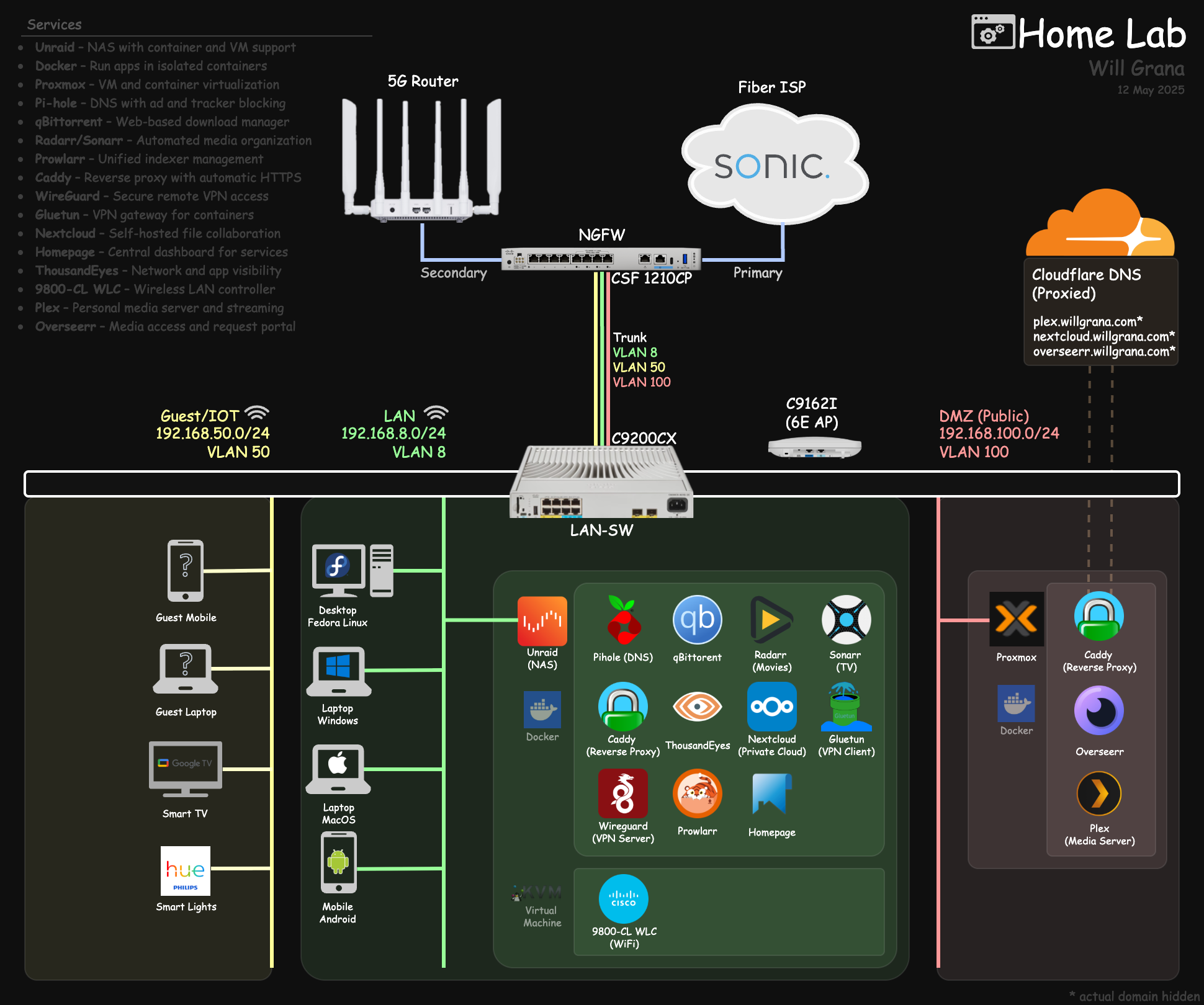
Introduction#
Homelabs are a great side project, especially when the value gained justifies the cost. One service I currently host from mine is a 60 TB media server that friends and family can access over the internet.
This has been a great exercise in thoughtful network/security design and fault tolerance.
Let’s walk through my setup as of December 2025.
1.0 Hardware#
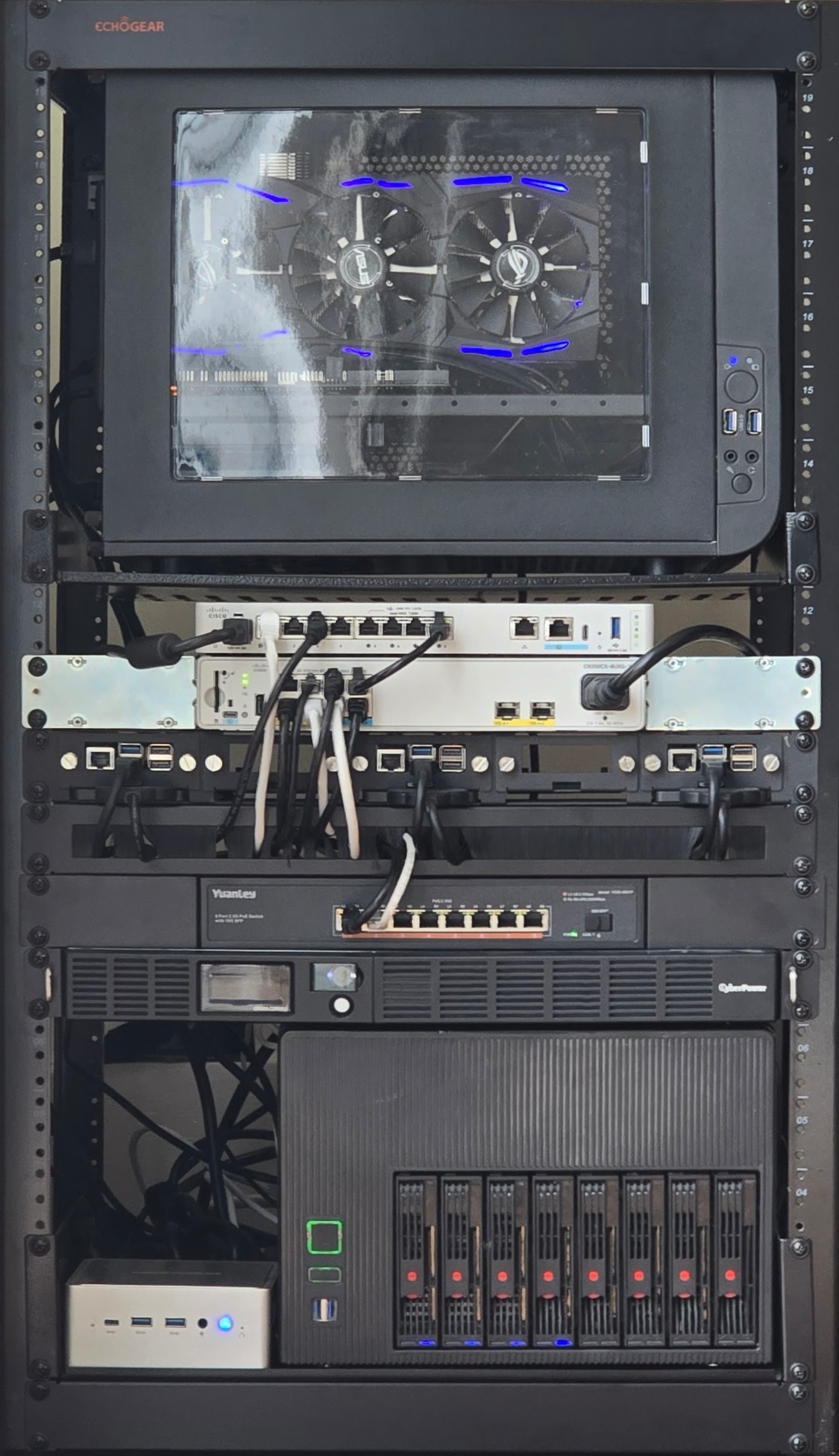
I have everything set up in a 20U open-frame rack from ECHOGEAR.
1.1 NGFW/Router - Cisco Secure Firewall 1210CP#

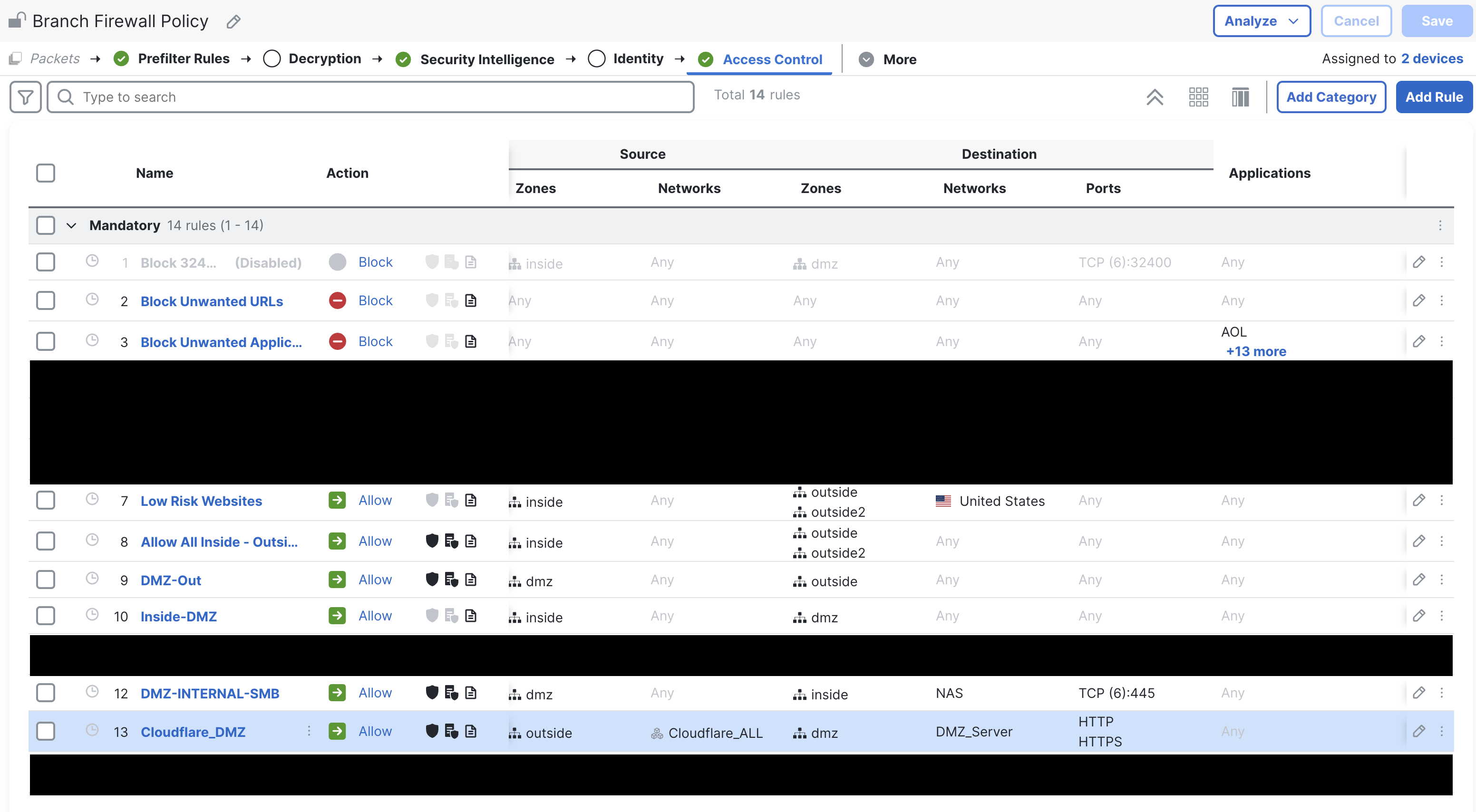
This firewall is the main control point for my entire network. Everything (wired + wireless) lands on VLANs that map to zones, and the firewall is the only place where VLANs can route between each other.
- Enforces zone segmentation: LAN, Guest, DMZ, Outside
- Security Intelligence: blocks known-bad domains/IPs and forwards all DNS requests to Cisco Umbrella for an additional layer of protection
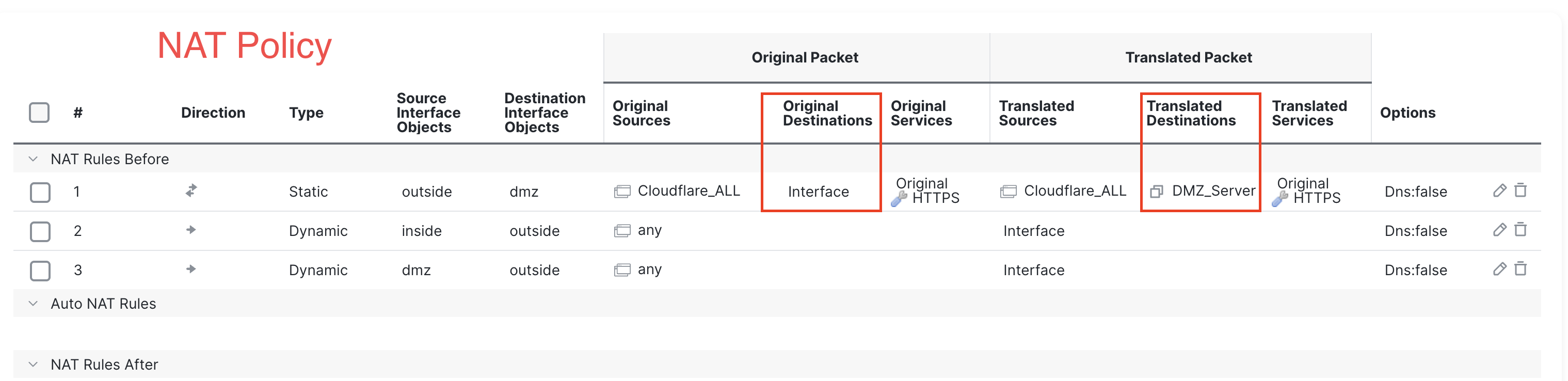
- Permits HTTPS (443) traffic only from Cloudflare IPs and NATs to the DMZ Plex server
I was provided this hardware at no cost through my employer. If you are sourcing your own firewalls, I would recommend building your own OPNsense box or a used enterprise firewall with solid on-box management not tied to a subscription (Palo Alto, Fortinet), in that order.
1.1.1 NGFW Policy#
1.1.2 NGFW NAT#
1.2 Switch - Catalyst 9200CX (fanless PoE, mGig)#
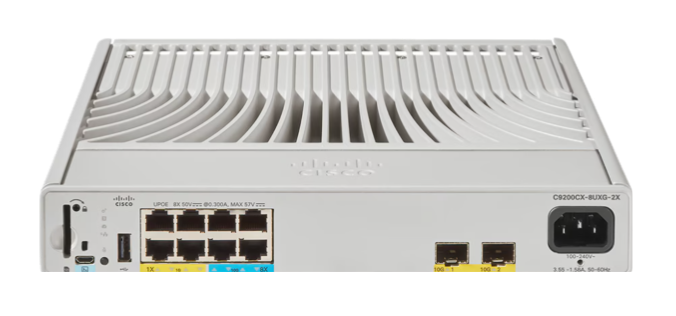
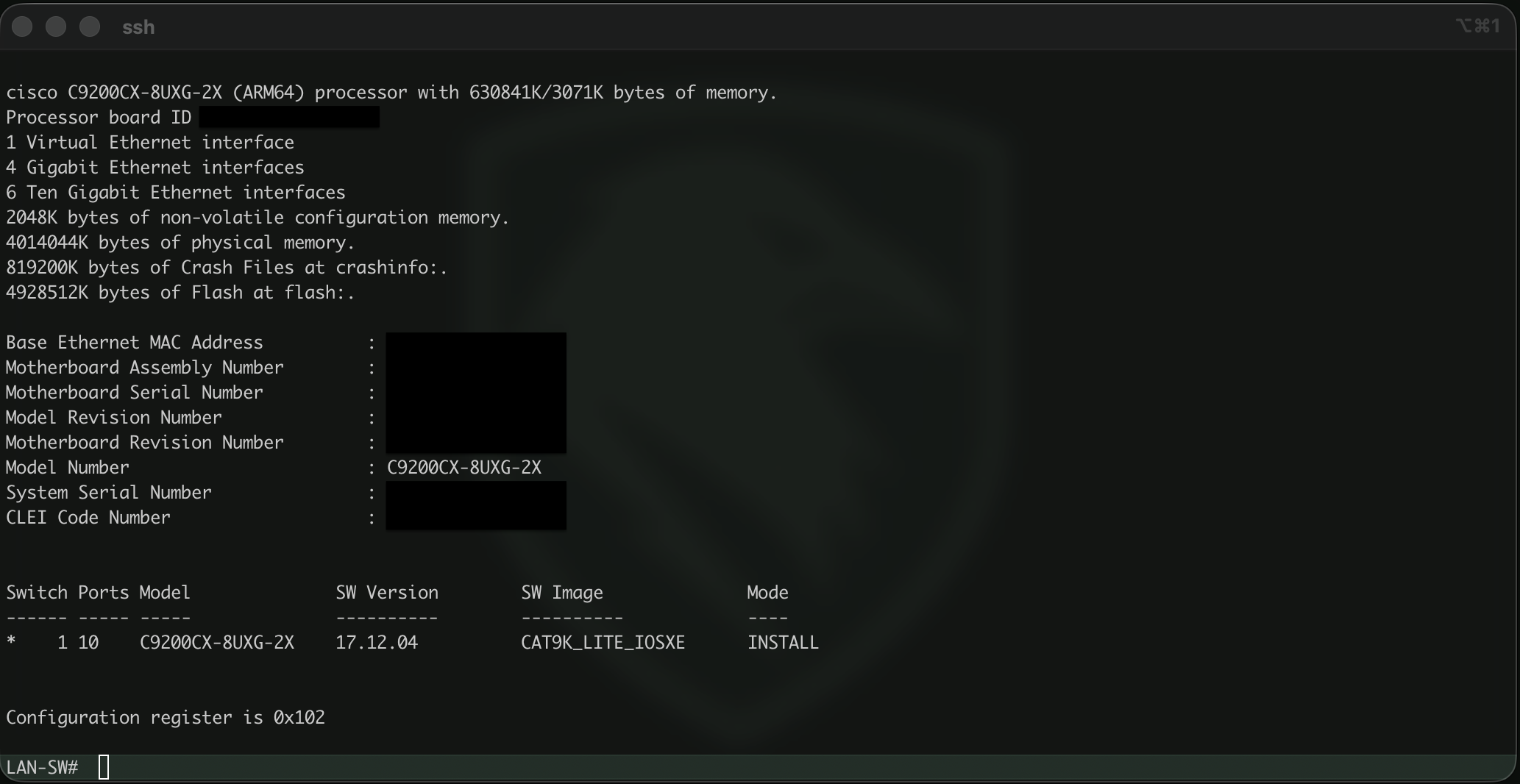
This switch is critical for keeping all of my wired connections segmented to their respective VLANs. I was provided this at no cost through my employer, but I would also recommend any used Cisco fanless switch for home-lab use-cases.
Some key considerations for a homelab when looking for a switch:
- Fanless = silence
- Managed switch for VLAN assignment and other configs
- PoE to power APs and small devices (Raspberry Pi w/ PoE hat)
- mGig so my NAS can stream to local WiFi 6E/7 clients at maximum speeds
Ideally you will set it up like this:
- Create and assign VLANs to various ports as needed
- Single trunk to the firewall
- Capture and export NetFlow on all ports to log lateral movement… if you are feeling adventurous
1.3 Wireless - Catalyst 9162I (6E)#
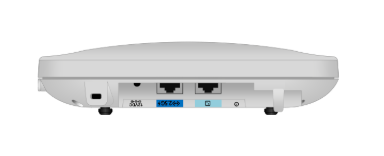
Some key considerations here:
- Guests and IoT on their own isolated WLAN
- mGig connection from NAS -> Switch -> [AP] -> Client
- AP is managed by WLC VM hosted on the NAS
- 6GHz for modern clients, 5GHz for the rest
- PoE
This is an enterprise-grade Wi-Fi 6E AP, and it delivers solid performance on all three bands. Cisco stopped shipping their APs with embedded wireless lan controllers, which really would have been useful here. Unfortunately, I had to deploy a full WLC VM on my Unraid box to manage this single AP, which was less than ideal.
I was provided this at no cost through my employer, otherwise I would look elsewhere for something that met the key requirements.
1.4 NAS - Unraid#
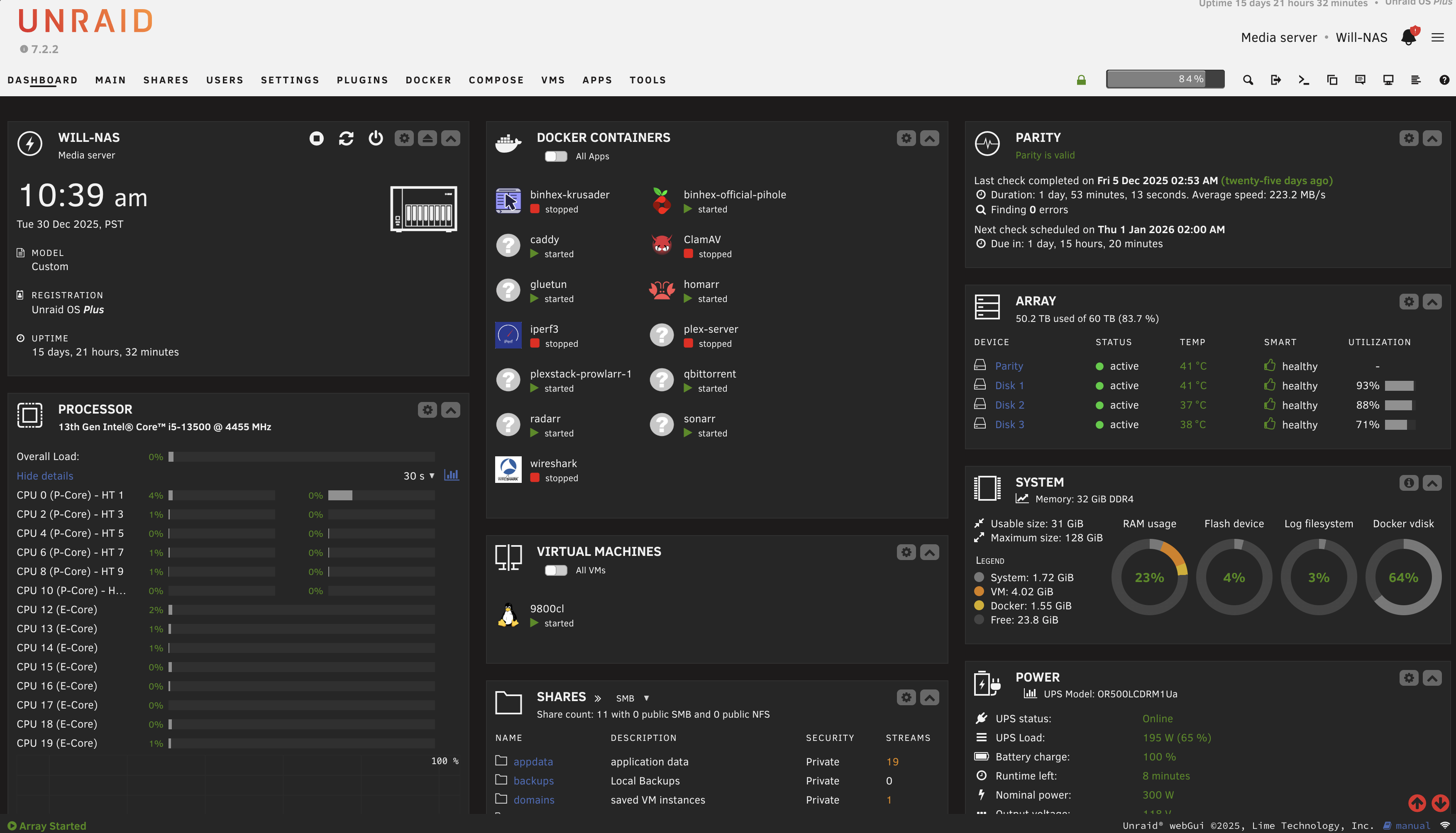
This is the true storage and compute backbone of my internal services.
- 8-bay chassis
- micro-ATX motherboard
- 32GB RAM
- Pair of 1TB M.2 SSDs for cache (mirrored for redundancy)
- 4 x 20TB hard drive array (1 is sacrificed for redundancy)
The OS is Unraid, which has been excellent so far.
- Easy expansion
- Straightforward UI
- Supports containers/VMs easily (good enough for a NAS)
- Parity drive allows one HDD to fail and be replaced without data loss
All newly written data is stored initially to the pair of Cache SSDs, then moved to the HDDs automatically nightly.
I would strongly recommend Unraid and the self-built NAS route.
1.5 DMZ Server - Minisforum NAB7#
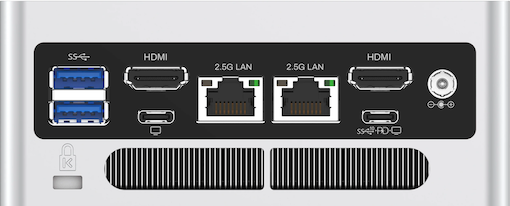
This box exists solely to provide maximum separation between my public-facing services and the rest of my home network.
- Proxmox Hypervisor on LAN (1st ethernet port)
- Ubuntu VM on DMZ (2nd ethernet port)
- Apps running as Docker containers
These apps not only have multiple layers of software-based isolation from the host (Docker > Ubuntu VM > Proxmox), but also total hardware and network isolation via a dedicated server and firewall zone (DMZ).
I’ve been very impressed with the value and performance of this box. I would highly recommend these fanless mini-PCs for home-lab usage.
2.0 Services#
This is what it’s all for: the actual services being provided by all of this hardware and network infrastructure. I have split them into private and public services, with strict hardware and network segmentation between the two.
2.1 Private Services#
- Reachable only from LAN
- TLS everywhere internally via Caddy
- Pi-hole for internal DNS
- Plex automation stack (qBittorrent, Radarr, Sonarr, etc.)
- Certain apps routed through VPN only (Mullvad VPN via Gluetun)
- Others not mentioned here (WireGuard, Nextcloud, WLC, etc.)
2.1.1 Pi-hole - (DNS)#
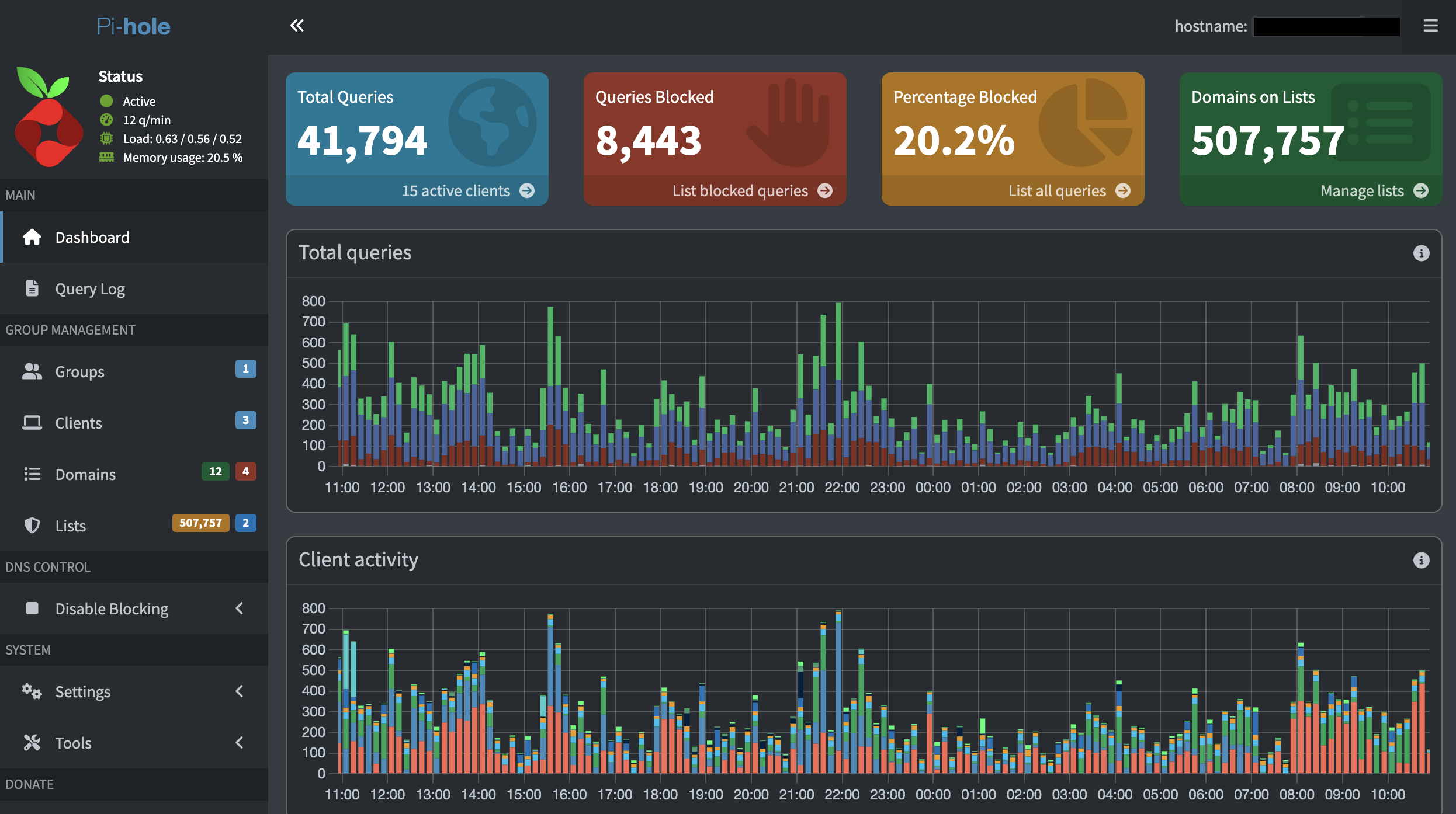
Pi-hole exists as a container running on my NAS and acts as my local DNS resolver, performing two functions:
- Blocks advertisement/tracker related DNS requests from resolving for all clients on my network
- Maintains local A & CNAME DNS records for my services so I can reach them by name instead of IP
Implementation details:
- Has its own dedicated IP on the LAN (not sharing NAS IP)
- IP is handed to clients from the DHCP server (Firewall) as their DNS server
- Local services are specified via CNAME records and subdomains, all pointing to Caddy running on my NAS for HTTPS
- Upstream DNS server is Cisco Umbrella for further security filtering
2.1.2 Media Library Automation Pipeline#
I am not going to get into the specifics of media acquisition here, but I will simply say that Sonarr, Radarr, and qbittorrent are commonly run as Docker containers in setups like this.

2.1.3 Gluetun - Docker VPN#
Gluetun is a lightweight, open-source VPN client designed to run inside of a Docker container, enabling secure and anonymized internet egress for containerized applications.
I leverage Gluetun to route all traffic from a few of my containers through Mullvad VPN, enhancing privacy.
2.2 Public Services#
2.2.1 Plex#
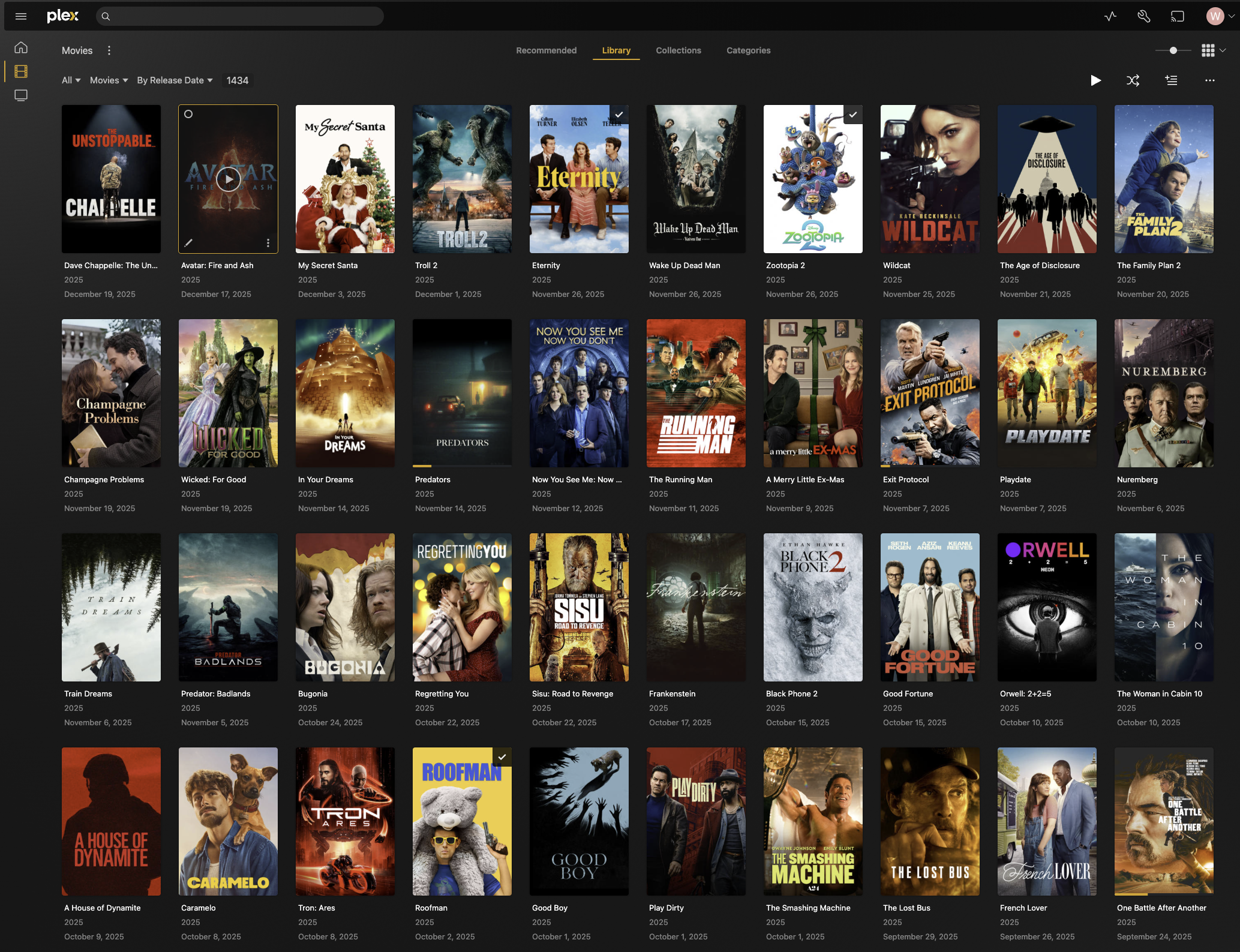
The star of the show! Plex is both the media server and client. I use Plex for this task because it:
- Automatically organizes a large media library and adds metadata
- Amazing client ecosystem (Smart TVs, mobile apps, web)
- Handles user access very well. Users create a Plex account themselves, then I add their account as a friend within Plex and grant direct library access.
This app lives as a Docker container, within a Ubuntu VM, within the Proxmox hypervisor, on a dedicated mini-pc, in its own dedicated DMZ network zone.
The only traffic allowed from the DMZ into my LAN is SMB from Plex to the NAS, using a read-only account scoped to the specific media directories.
Since this is a public service, I have designed my network in a way so that lateral movement from here is extremely restricted.
2.2.2 Caddy - Public Reverse Proxy#
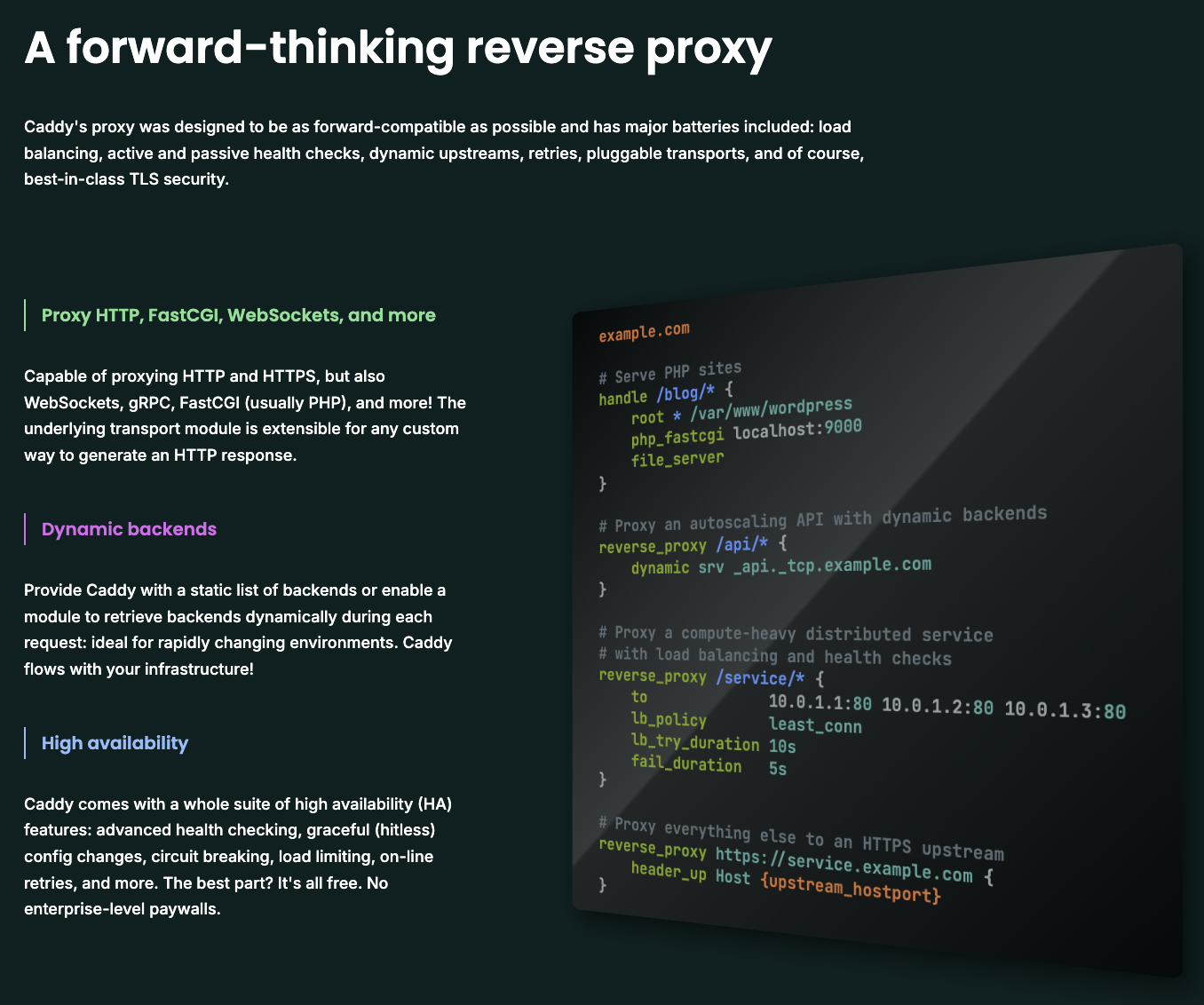
Caddy is a containerized reverse proxy terminating TLS/HTTPS for public services using automated Let’s Encrypt wildcard certs.
This is the TLS/HTTPS entry point into my DMZ, the firewall NATs incoming TLS/HTTPS traffic sourcing from Cloudflare IPs to this service for TLS termination.
By consolidating all DMZ TLS termination to a single point, I have reduced my attack surface and simplified the HTTPS certificate management process.
What’s a reverse proxy?
A reverse proxy sits inline between end users and your application, which can be leveraged to the owner’s benefit
Without a reverse proxy, users are connecting to applications directly, with each application needing it’s own certificate:
With a reverse proxy, we insert the proxy between the user and the application, allowing for a single TLS termination point for multiple applications, reducing attack surface and simplifying certificate management:
3.0 Design Considerations#
Alright, now that we have talked about the “What”, let’s focus on the “Why” behind some of the design choices.
A few areas I’d like to focus on are the security functions Cloudflare and the DMZ zone provide, why they are necessary, and then some comments on redundancy from a WAN, Power, and Hardware perspective.
Like I’ve mentioned, a main priority of this design was to limit the damage that could be done should my public facing service be compromised entirely.
3.1 Cloudflare - Reverse Proxy#
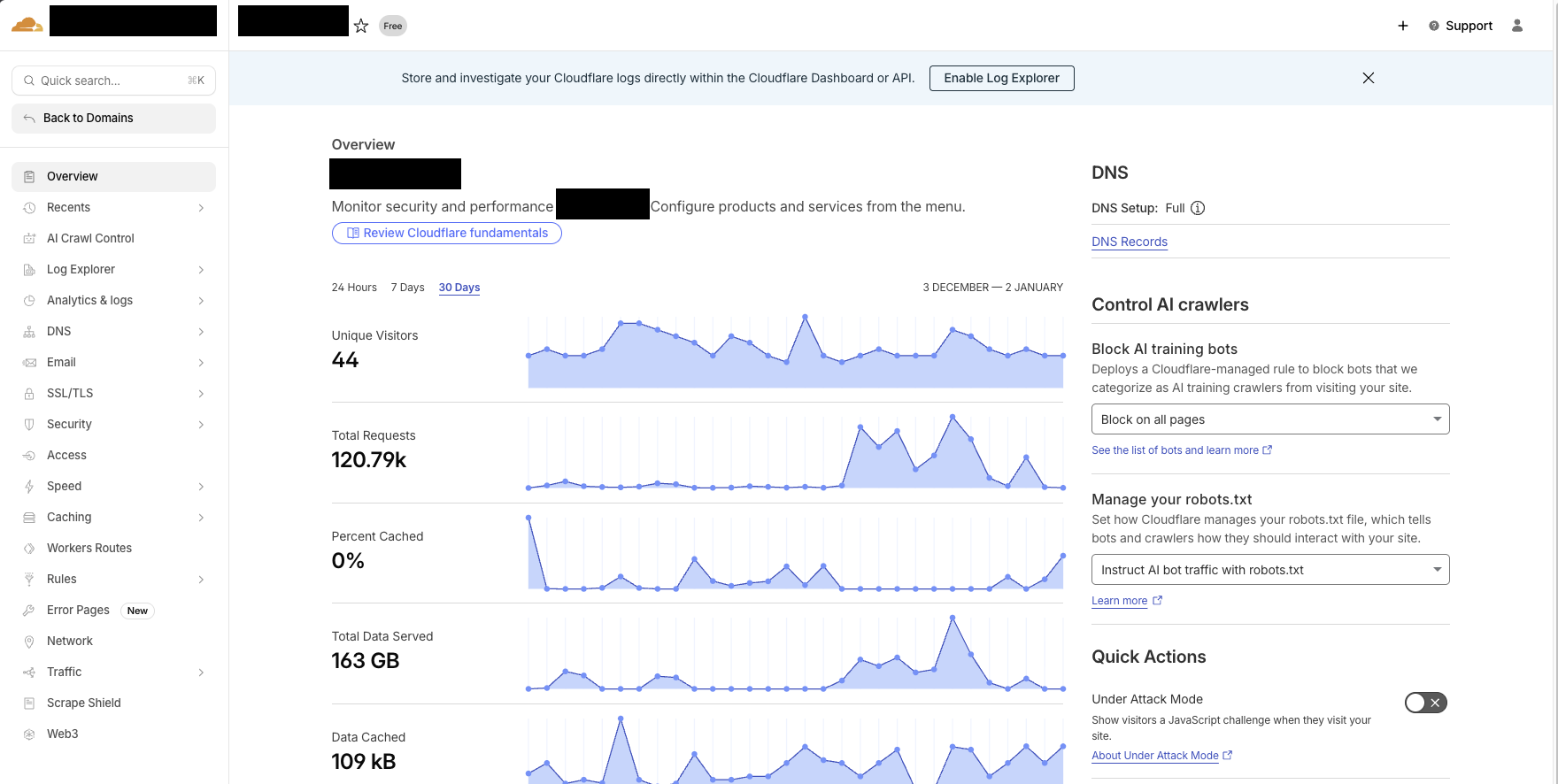
Cloudflare provides a free service where they will act as a reverse proxy, resolve your public DNS to anycast infrastructure, terminate TLS with the end users, block blatant scanning, bots, and attacks, apply geo-based filters, then re-encrypt and forward directly to my firewall. Cloudflare is essentially taking over my public attack surface at no cost.
My firewall only allows port 443 inbound from Cloudflare IP ranged directly to my DMZ server.
What I have done is
- Concealed my home IP from anyone except Cloudflare
- Block basic threats, scanning, and non-US-origin traffic via Cloudflare
- Only allow traffic proxied through Cloudflare through my Firewall into the DMZ
3.2 DMZ - Segmentation#
In an effort to minimize blast radius of any potential compromise of my public facing services, I have designed multiple layers of isolation/segmentation.
- Network isolation: DMZ is its own zone on the firewall with very restrictive rules
- Host isolation: public services run directly on a dedicated DMZ server, not on my NAS
- VM isolation: services run inside an Ubuntu VM on Proxmox
- App isolation: Plex and Caddy(reverse proxy) are containerized with docker.
This design protects the rest of my network even if we assume the entire physical DMZ server is compromised.
Everything in the DMZ zone is kept up to date with the latest software and security patches.
3.3 Fault Tolerance#
When designing redundancy, it’s easy to get carried away, but I have chosen some simple high-ROI options that have a great cost-to-uptime-improvement ratio:
WAN Redundancy - ISP and 5G WAN links plugged into the firewall in an active/standby configuration. If my ISP fails or flaps, traffic resumes over 5G within 2 seconds.
Power Redundancy - Critical equipment is running on a rack-mounted UPS (Uninterruptible power supply), which is essentially a huge battery. This will keep the rack online for up to 30 minutes should I have a brief outage/brownout. In the case of building power loss, my WAN will fail over to 5G
Hardware Redundancy - Unraid sacrifices 1 hard drive as a parity drive. The parity drive allows me to lose one entire disk to failure and not suffer data loss or downtime
So in the scenario I lose building power, which takes my ISP down with it, my lab and home network remain up and functional on UPS and 5G. Additionally, I can lose 1 HDD at a time to hardware failure without losing data or impacting services.
Conclusion#
This homelab has been a fun exercise in hosting a real, internet-reachable service with actual users that will complain if it doesn’t work. The goal was to assume compromise and design the network so the blast radius stays contained.
Hopefully this overview has been helpful, or at the very least interesting! Looking forward to seeing how this continues to evolve, and I will post updates accordingly.
Thanks for reading!
-Will